After a long period of intense development and testing, the iNexBot Control System version 22.07 has been released!
So what are the highlights of this release? Let Xiaona walk you through the details!
Major Feature Updates
Welding Process Overhaul
This release brings a major overhaul of the welding process, with many new features added.
- Added spot welding function
- Weave welding — added circular weave to the weaving modes
- Added weave welding reference point command
- Added fixed-point weave welding
- Added multi-layer multi-pass welding function
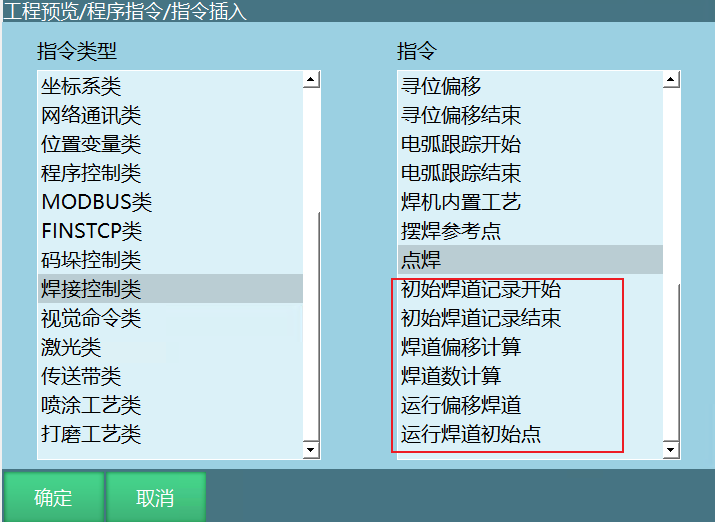
- Added fine adjustment of welding current and voltage
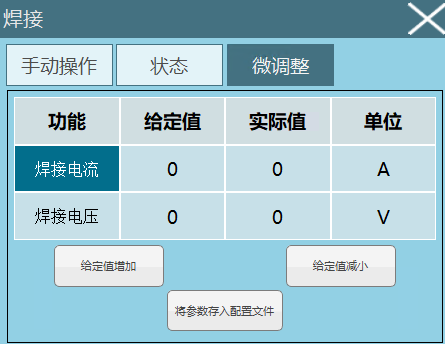
- Optimized the restart function
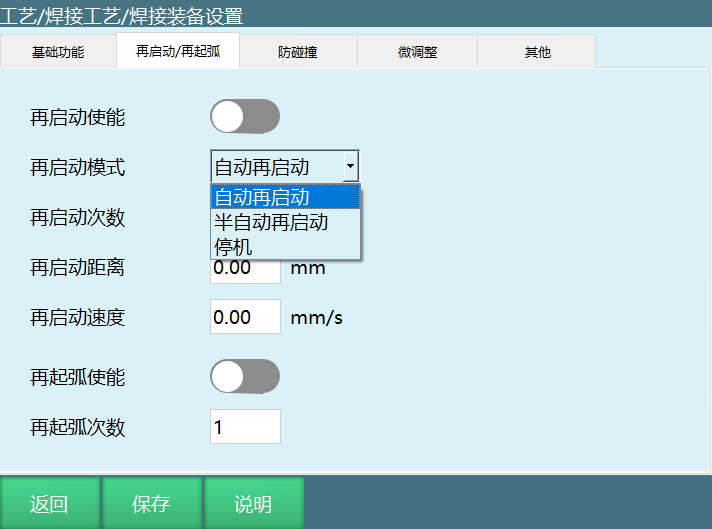
- Added arc restrike function
- Optimized analog current/voltage matching
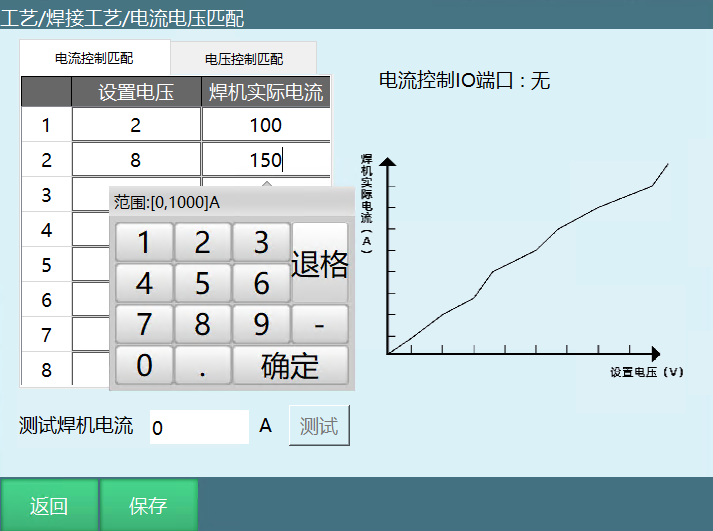
- Added ramping function
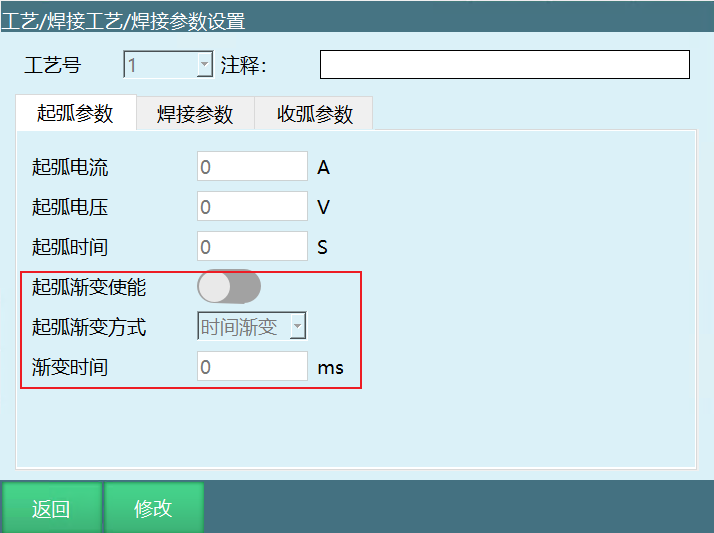
- Drag teaching after torch collision: axes 4, 5 and 6 can be drag-taught after a collision
- Added automatic correction of weave welding trajectories
Gate Motion Command
Added a gate motion command. Test data is as follows.
Test environment:
4-axis SCARA robot
| Parameter | Value |
|---|---|
| Joint speed | 5000 |
| Command speed | 5000 |
| Smoothing | 5 |
| Global speed | 100% |
| Acceleration | 15 |
| Deceleration | 15 |
| Minimum acceleration time | 0.02 |
Test results: At a joint speed of 5000 rpm, cycle time is 0.3 s At a joint speed of 6000 rpm, cycle time is <0.3 s
Lua Support
You can now write more complex run logic with Lua!
Added a Lua file call command to job programs
- Supports Lua 5.2
- Supports extension programs written in Lua
- Supports operations on variables, IO, tool parameters, user frame parameters, error reporting, log printing, etc.
Lua statements can also be executed individually in job programs.
Run from Current Line
Select any instruction line and start execution from that line, greatly improving debugging efficiency.
Binding Instruction Parameters to Variables
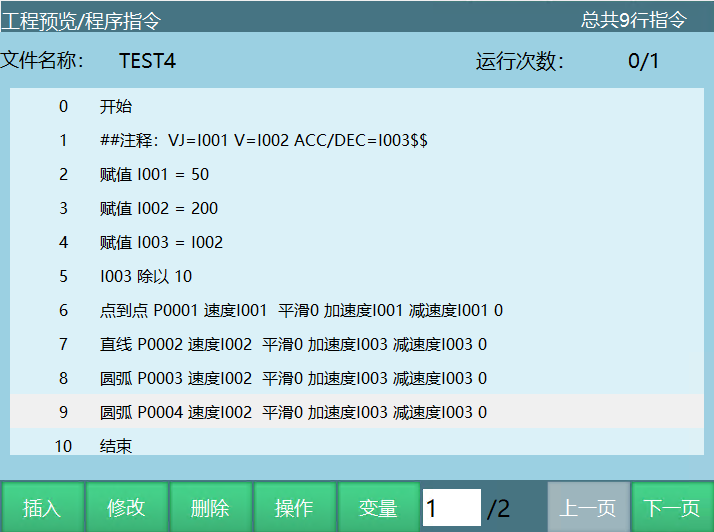
All parameters in instructions can now be bound to variables, greatly reducing programming effort and enabling more complex logic!
Multiple Condition Evaluation
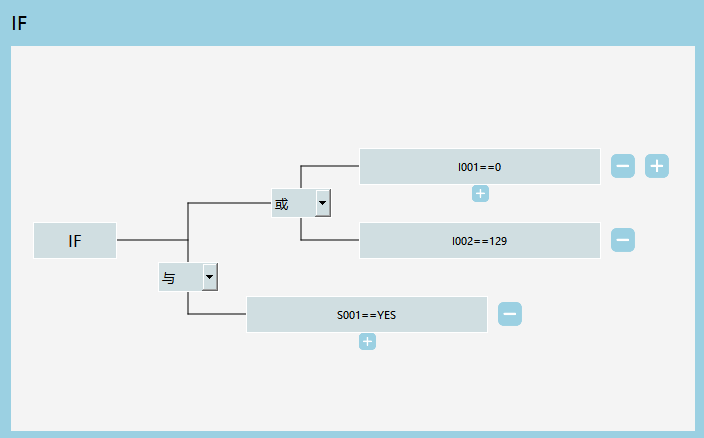
The conditional (IF) instruction now supports multiple conditions and provides a user-friendly interface, so you can easily write conditional instructions with complex logic.
The example below shows an IF((I001==0||I002==129)&&S001=="YES") conditional instruction
New Error Reporting Mechanism
The redesigned error reporting mechanism makes error warnings more prominent and the entire operation safer — the program can only be powered on and run after all errors have been cleared.
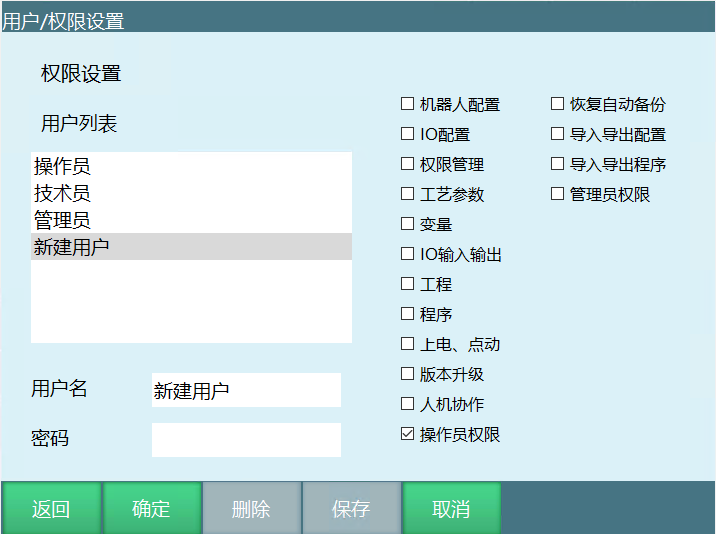
Customizable User Permissions
Supports adding users and freely configuring permissions
Modbus Master Function
Added the Modbus master function
Supports reading/writing of 4x, 3x, 4x-bit, 3x-bit, 0x, 1x address types
In any mode, Modbus can read global values
Modbus multi-master connection: a Modbus slave allows up to 9 masters to connect simultaneously
Added 100 GP variables for Modbus
External Buttons for Collaborative Robots
Added an external button function for human-robot collaboration
The following functions can be controlled via the button at the end of the collaborative robot:
- Record drag trajectory
- Replay drag trajectory
- Switch drag mode
- Enable/disable
- Open/close gripper
- Save trajectory
String Data Type
- Added string variable type Added modification and viewing entries for string variables in the variable interface and monitoring interface String variables are prefixed with S
- Added string append instruction Supports string + operation
- Added string substring instruction Extract the desired portion of characters by specifying an index
- Added string split instruction Split a string into multiple segments by a specified character
- Added string search instruction Find all positions of a specified character within a string
- Added string length instruction Get the character length of a specified string variable
- Added string-to-non-string conversion Convert string type variables to integer, float and boolean variables
- Added non-string-to-string conversion Convert integer, float and boolean variables to string type variables
- Added string type support for the parameters of multiple instructions, such as output message, Modbus read/write, network communication, etc.
Test Run Function
Added a test run function that continuously executes instructions in teach mode.
Minor Changes
Program Editing
Optimized pop-up operation buttons to reduce operation steps and improve efficiency during heavy programming
Batch operations support modifying process numbers

Conveyor Tracking
- Added waiting point Can wait at a specified point when no workpiece is present
- Added get conveyor tracking position instruction Store the target point of the current tracking task into a position variable
- Added delete conveyor tracking target instruction Can delete the current or all queued tracking targets
- Added "tracking target height" parameter
- Added "conveyor position mode" parameter
- Added constant speed mode Conveyor speed can be obtained from the encoder or entered directly
- Parameters such as "conveyor speed" and "conveyor calibration value" are now modifiable
Interference Zone Robot Range Merge
- Changed to 2-point calibration of interference space
- Supports status output and stop
IO Settings
- UI adjustments
- The "error prompt" function now supports more error types
- Custom names for IO display
Vision
- Added a clear calibrated pick pose function for vision
- Conveyor vision tracking over the entire trajectory
- Added camera calibration for vision