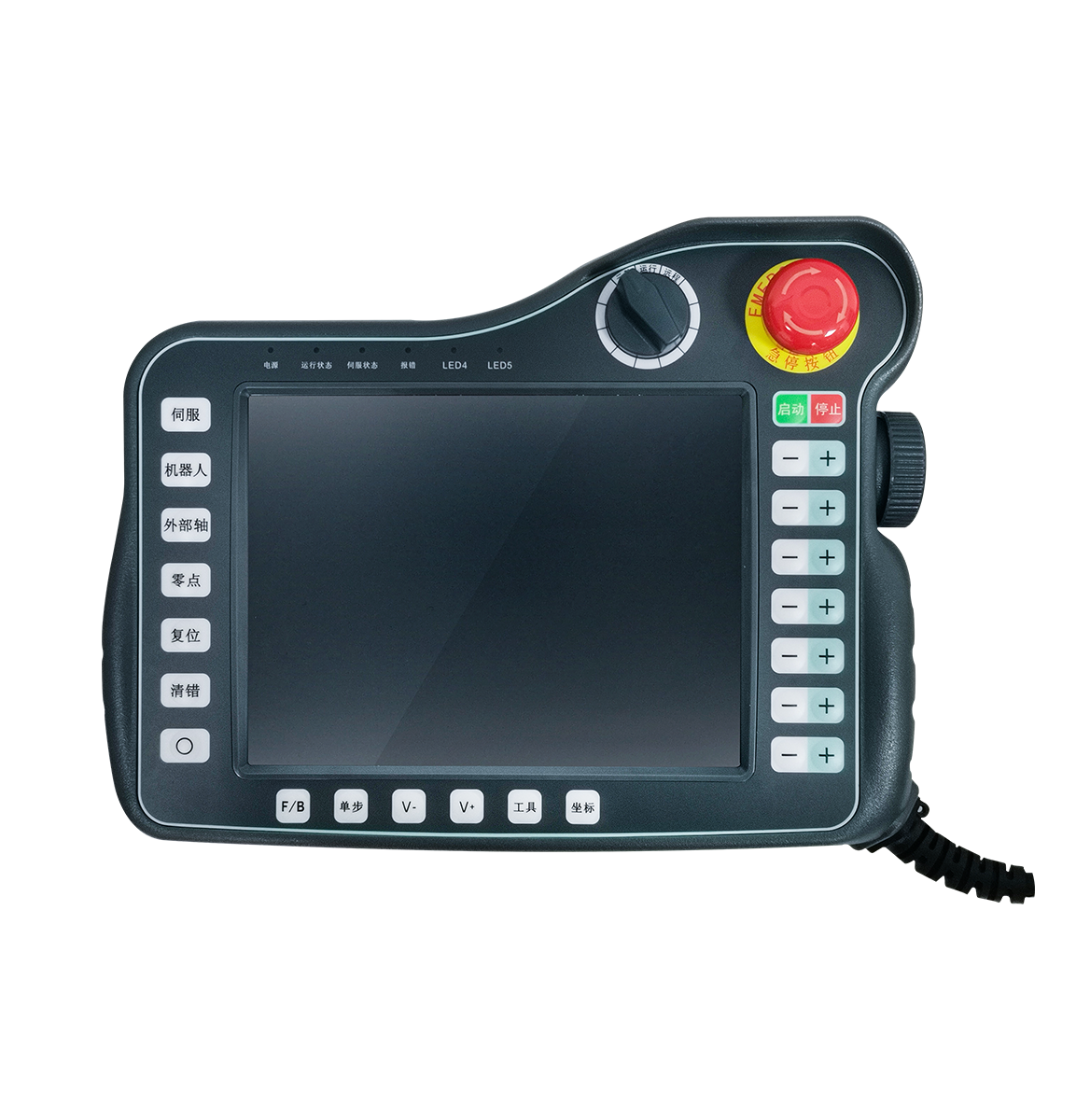
Product Overview
The T30 teach pendant is a universal hardware platform for robot teach pendants, offering the following advantages:
- Powered by a TI Cortex-A8 32-bit high-performance industrial control processor, excelling in graphics processing, industrial Ethernet and flexible peripherals;
- Professional ergonomic design with an attractive structure and a layout carefully considered for human factors, delivering an excellent operating experience;
- Highly expandable keys and indicators that are easy for users to customize;
- A large 8-inch TFT screen provides rich, clear human-machine interaction windows that elevate the product's grade;
- Fully proprietary design with a mature, stable hardware and software platform;
- A complete set of functional components — enable switch, touch pen and more available as options — fully meeting the needs of different users;
- Industrial-grade design throughout with high reliability.
Product Specifications
| Specification | Parameter |
|---|---|
| Processor | TI Sitara AM335x ARM Cortex-A8 32-bit RISC MicroProcessor, up to 1GHz |
| Memory | 512MB DDR3, 4GB eMMC |
| LCD | TFT 8inch 800*600 |
| Touch | Reinforced 4-wire resistive touchscreen |
| Operating System | LINUX |
| Panel | Function keys: 12 Axis keys: 12 Indicators: 6 |
| USB Ports | USB 2.0: 1 |
| Communication Interfaces | RS485, CAN, Ethernet |
| Functional Components | E-stop switch: 1 Selector switch: 1 Electronic handwheel: 1 Touch pen: 1 Optional enable switch (3-position): optional |
| Rated Input Voltage / Max Power | 24V DC /8W |
| Cable Length | 5m |
| Operating Temperature | -20~60℃ |
| Operating Humidity | ≤90% |
| Storage Temperature | -40~85℃ |
Functional Components
Emergency Stop Switch
- Used to stop the machine in emergencies, such as danger to personnel or risk of damage to the machine or workpiece.
- Once pressed, the switch can be released by turning it clockwise.
Selector Switch
Used to select and switch the pendant's operating state, e.g. manual, stop and automatic.
Touch Pen
An accessory that makes it easier to operate the touchscreen.
Enable Switch
An accessory with three positions: inactive, enable (middle position) and lower-enable (fully pressed). The enable switch signal wires are routed inside the pendant, so no additional wiring is required.